Decorative dingbat font mapping crop-circle symbols to keyboard
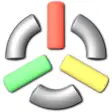
Crop Circle Dingbats, published by Crop Circle Dingbats, is a decorative dingbat font that replaces standard letters and numbers with geometric symbols drawn from documented crop circle formations. The font supplies a thematic set of symbols for titles, posters, and research graphics while keeping a small installation footprint. It aims at graphic designers, science fiction artists, paranormal researchers, and digital creators who need precise, emblematic symbology for print and screen projects.
What does Crop Circle Dingbats change in text?
Crop Circle Dingbats substitutes ordinary alphanumeric characters with ornamental symbols based on recorded formations; the package contains a defined set of glyphs and installs as a standard system font. The font file is a TrueType package that integrates with desktop applications so symbols can be selected from a font menu like any other face, rather than pasted as images.
How much control do you get over symbol selection and use?
The font maps its symbols to familiar keyboard inputs so insertion is direct from text fields. Because the glyph set is finite, the designer controls composition by choosing from the available characters rather than generating new variants. Use cases suited to this model include themed headings, icon-like markers, and consistent symbolic notation across documents.
Is installation and daily use straightforward for nontechnical users?
Installation follows a conventional ZIP extraction and font install workflow: extract the CROPDING.TTF file and use the system "Install" command to add the font to the library. After installation the font appears in application font menus, which lets users apply symbols inside word processors and design apps without additional tooling.
Does the font affect system performance or compatibility with design software?
The font is distributed as a lightweight TrueType file and is described as having minimal impact on system resources. It is compatible with common desktop suites, including mainstream office and creative applications, and functions on any desktop environment that accepts .ttf fonts. The font’s niche focus and symbolic set make it a specialist asset rather than a general-purpose typeface.
A focused ornamental font best suited to themed design work
Crop Circle Dingbats is a niche option for creators who need a ready-made set of geometric, crop-circle inspired symbols; its design origins and single-file delivery make it simple to adopt. The fixed symbol inventory limits flexibility for broader typography tasks, so the font fits projects that require distinctive, repeatable emblems rather than full character coverage.